Features
Everything Will Be Done does
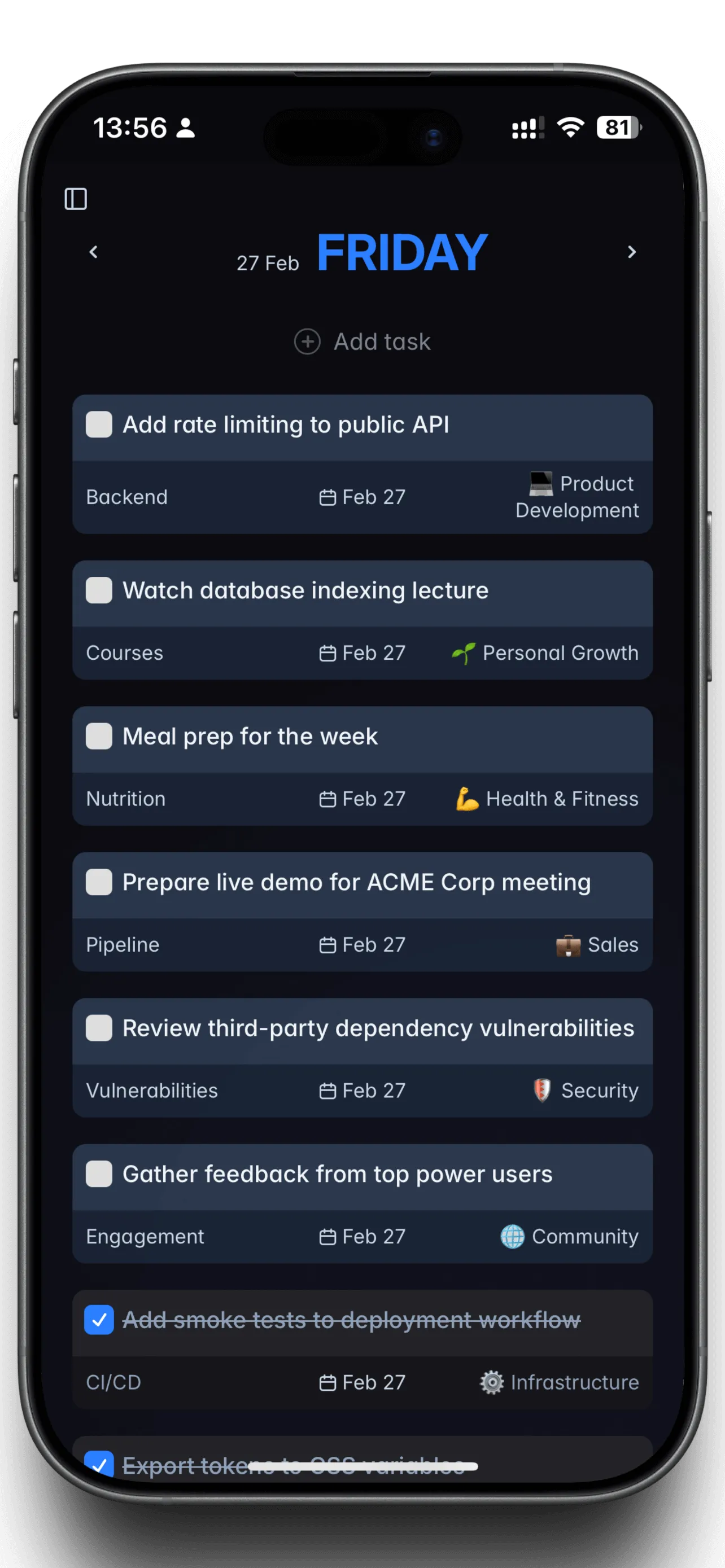
Will Be Done plans a week at a time, one column per day. Every device keeps the whole database, so nothing waits for the network. Vim keys cover the app, and an HTTP API lets a script do the same work.
A column per day, the whole week at once
Monday through Sunday sit side by side. Drag a task from Wednesday to Friday and it lands on Friday. A day is an ordered list, not a grid of hours, so you pick the day and never the time.
A task you didn't finish keeps its day and gets a yellow marker. It doesn't pile into today, and it never turns red. When one day is enough, the Today view shows only that day, and the stash holds the work you haven't scheduled at all.
Why the week is the unit of planning →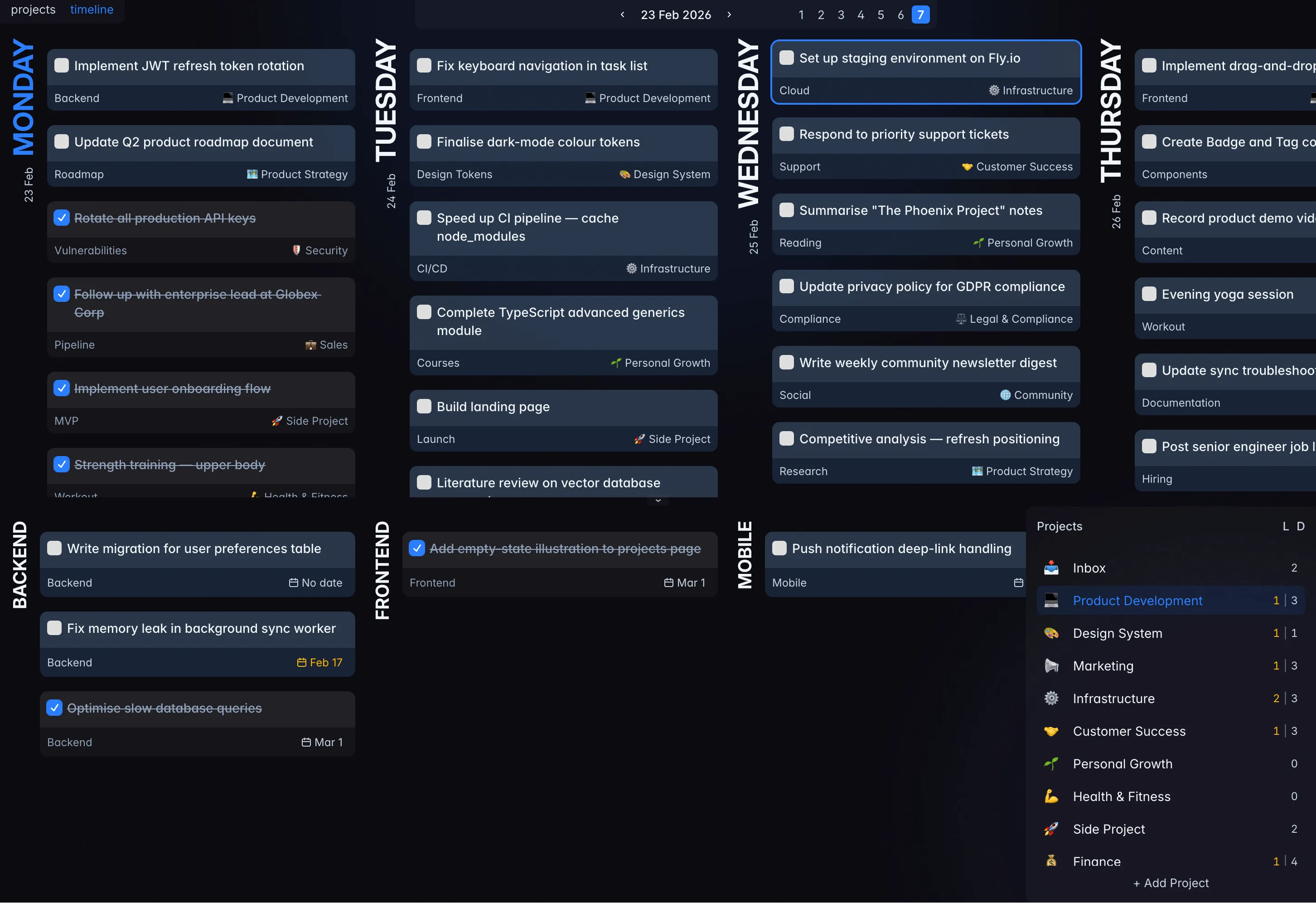
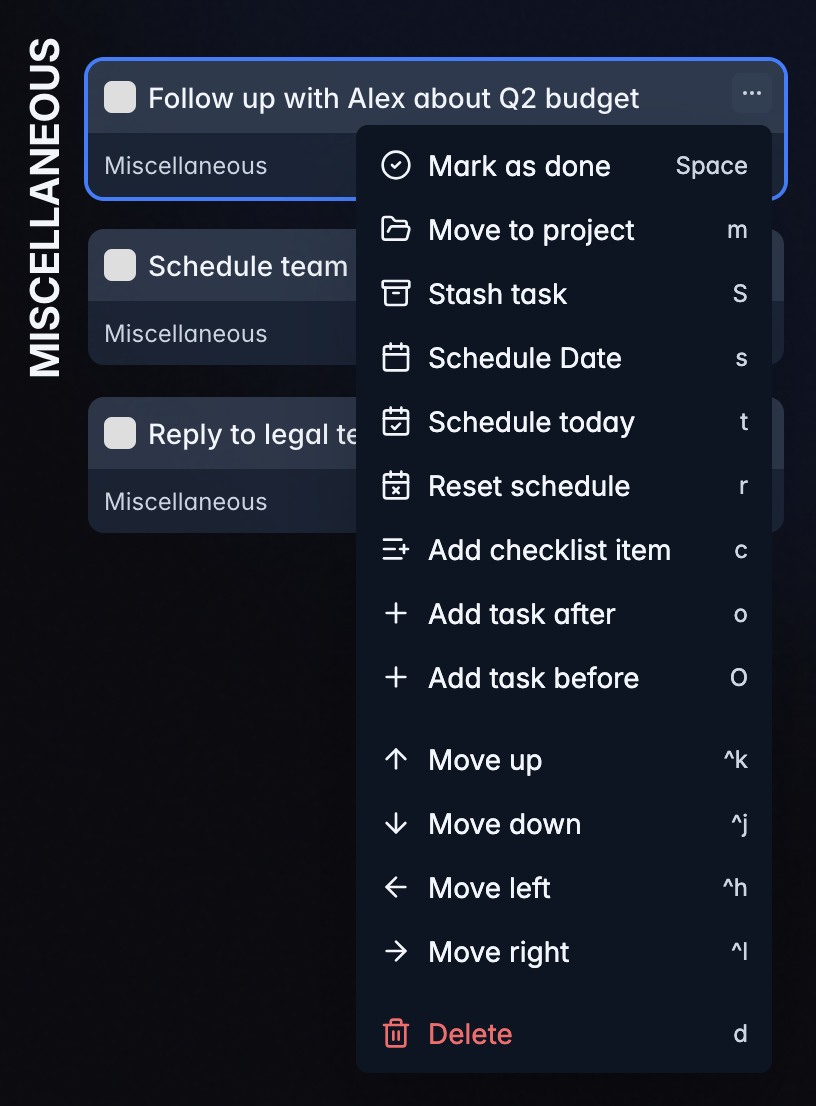
Your hands never leave the keyboard
Vim keybinds cover the whole app. Move with h/j/k/l, create tasks with o/O, complete with space, and push work to another day without reaching for the mouse.
Don't break focus to capture a task
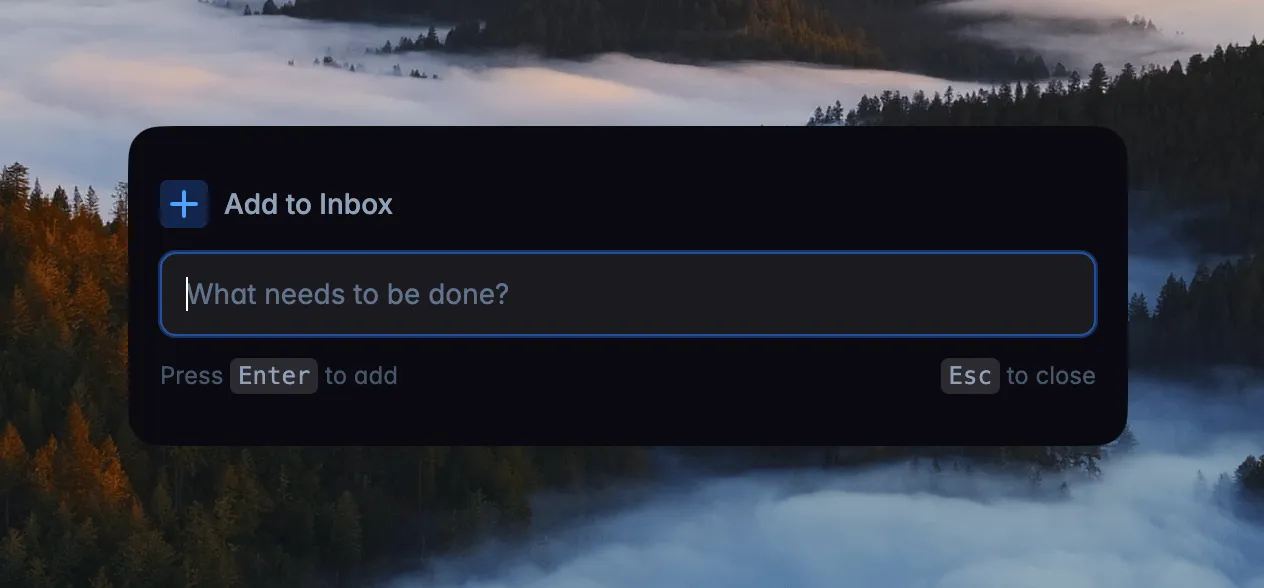
A thought surfaces mid-work. Switching apps kills your flow. One global shortcut works anywhere on your Mac, Windows or Linux machine. Type the task, hit enter, and you're back. The popup disappears. Your focus doesn't.
Projects for the work that outlives a week
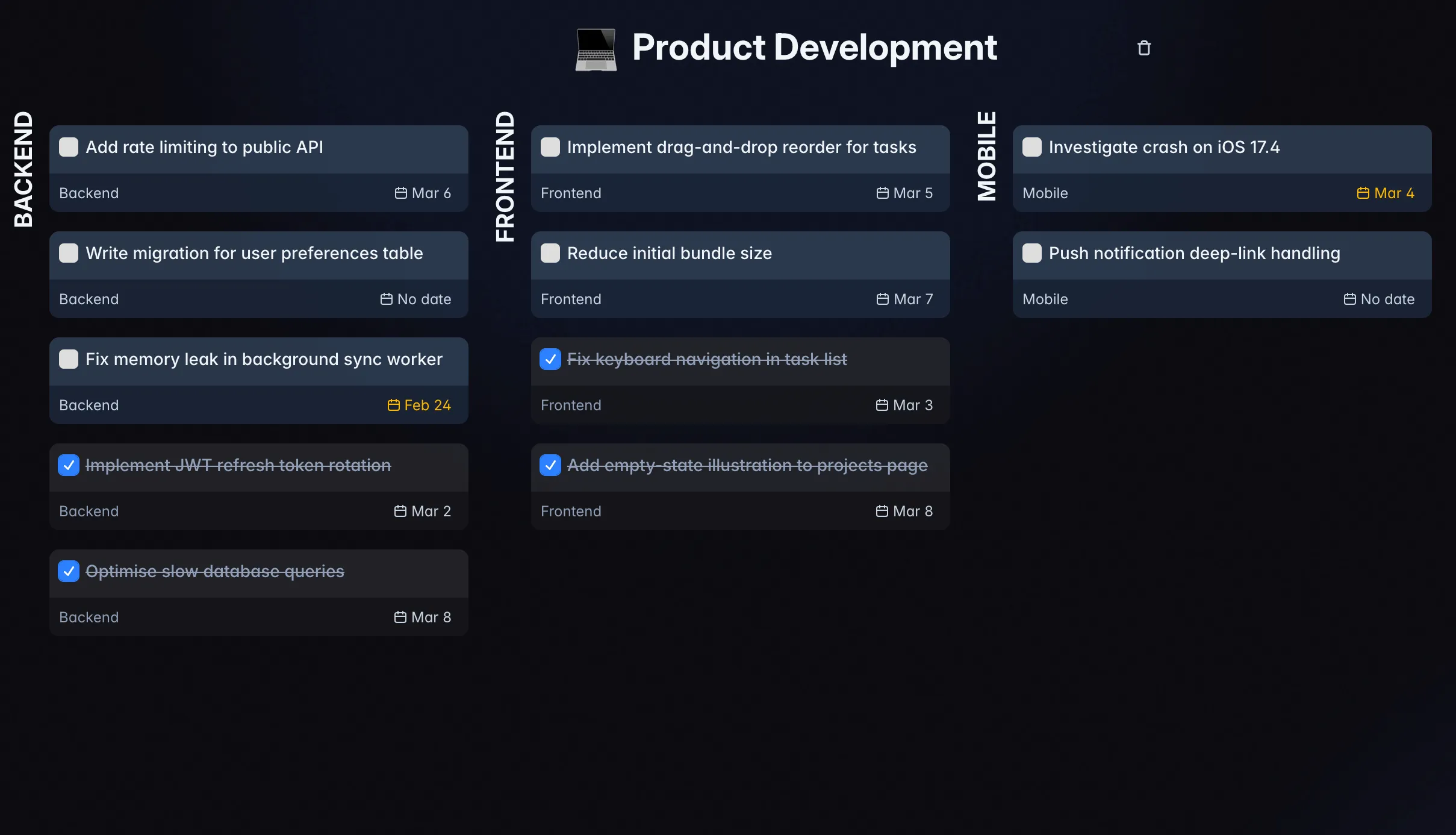
Each project gets its own kanban board with columns you define, such as Week, Month, Ideas and Someday. Separate spaces keep work and personal apart, so an idea you are not ready for waits in Someday instead of crowding this week.
Local-first
Local-first, not offline-ish
Every device runs a complete local database. Opening a task, moving it across the week or creating a new one never waits for the network. The server only passes changes between your devices when there is a connection.
- No spinners. Reads and writes happen locally, so every drag and keystroke lands immediately.
- Plane mode is normal mode. The full app works with no connection, including planning and completing tasks.
- Server downtime is survivable. If your homelab is rebooting, your tasks are still there and sync catches up later.
- Built for a lifetime of tasks. Rows are read from local storage on demand instead of loading the whole database at startup, so the app opens straight into your week after years of history.
Your device
Full local database · instant reads and writes
Your server
SQLite in one Docker container · or the cloud
Your other devices
Each with its own local database
And everything else you'd expect
The interesting parts are above. The table stakes are here, and they all work.
- Recurring tasks by day of week, month or year
- Project kanban boards with your own columns
- Separate spaces for work and personal
- Today view and weekly timeline
- Stash for what you are focused on right now
- Desktop apps for Linux, macOS and Windows
- Global quick add shortcut
- Mobile-ready PWA
- Drag and drop for tasks, days and projects
- HTTP API with OpenAPI docs
- Task descriptions and checklists
- Real-time sync across tabs and devices
Coming from Todoist or TickTick?
Bring your tasks with you. Import from Todoist with an API token, or from a TickTick CSV export. Projects and tasks land straight in your spaces.
HTTP API
Wire your tasks into everything else
Spaces, projects, sections, tasks, checklists and schedules are all reachable over a documented HTTP API. A Telegram bot, a cron job or your own script can drop work straight into your week. Create a token in Space settings → Tokens and send it as a bearer token.
# List your spaces
$ curl https://app.will-be-done.app/api/v1/spaces \
    -H "Authorization: Bearer $WBD_TOKEN"

# Drop a task straight into your stash
$ curl -X POST \
    ".../api/v1/spaces/$SPACE_ID/stash/tasks" \
    -H "Authorization: Bearer $WBD_TOKEN" \
    -H "Content-Type: application/json" \
    -d '{"title": "Reply to the Q2 thread"}'
Nothing beats dragging a task yourself
The demo runs entirely in your browser with no account, or start free in the cloud.
Prefer your own server? Self-host with Docker →